
Collection Procedures
As part of the debtor collection process, Collection Procedures define a sequence of steps that are executed either automatically or manually to effectively collect cash from Customers for invoices that are due.
Collection Procedures are automatically assigned to Customer records when they are created. The Collection Procedure that is assigned is determined by the Customer record being present in the search results of the Assignment Logic Search.
Prerequisites
Assignment Logic Saved Searches created for each Collection Procedure. See: Collection Procedure Assignment Logic Saved Searches
Creating Collection Procedures
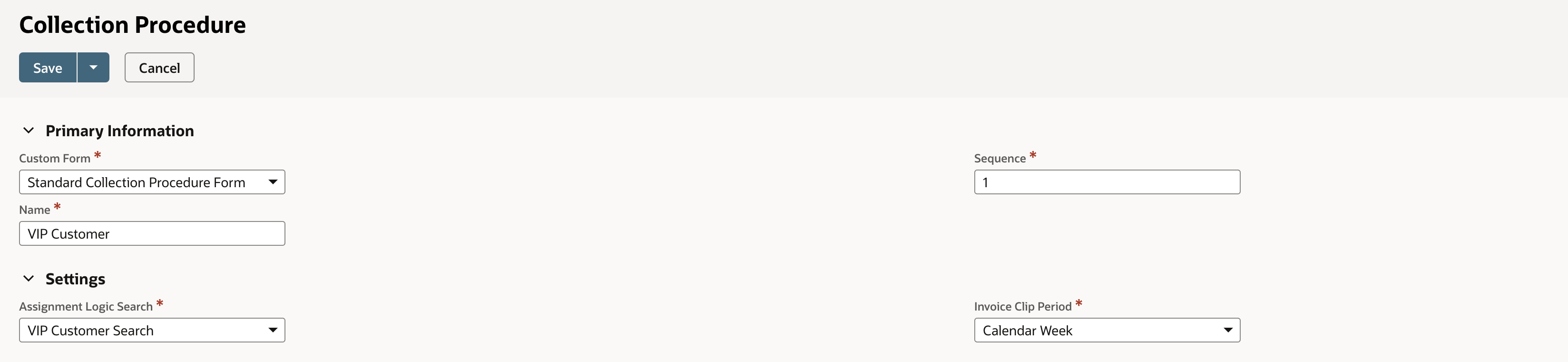
Navigate: TaskCollect > Setup > Collection Procedures > New
Populate fields;
In the Name field, enter a name for the Collection Procedure,
In the Sequence field, enter a processing order sequence number for the Collection Procedure assignment logic,
In the Assignment Logic Search field, select the customer saved search that identifies the criteria of new customers to be assigned to the Collection Procedure,
In the Invoice Clip Period field, select the Invoice Clip Period required for the Collection Procured. See Invoice Clip Periods below, for relevant information.
Invoice Clip Periods
To allow for flexibility of grouping together invoices for a given Customer, TaskCollect has the notion of Invoice Clips.
As Invoice transactions are created they are “clipped” together using Invoice Clips 📎.
Each Collection Procedure defines how invoices are clipped together, with available options:
Option | Notes |
|---|---|
Individual Invoice | Each Invoice is separately progressed through the Collection Procedure. |
1 Day | Any Invoices created in a given day for a given Customer are clipped together, and progressed through a common Collection Procedure. |
Calendar Week | Any Invoices created in a given week for a given Customer are clipped together, and progressed through a common Collection Procedure. |
Rolling 7 Days | Any Invoices created in a rolling 7 days for a given Customer are clipped together, and progressed through a common Collection Procedure. |
Calendar Month | Any Invoices created in a calendar month for a given Customer are clipped together, and progressed through a common Collection Procedure. |
Create Collection Steps
A sequence of Collection Steps must be created for the Collection Procedure. See Collection Steps.