
Credit Reports
Company credit reports allow the determination of how reliable or creditworthy the company may be, providing valuable insights to allow for appropriate debtor risk mitigation.
Requesting a Credit Report
Go to the Customer record you want to request the credit report for,
Click the Perform Credit Check button,
Click the TaskCollect subtab,
In the list of TaskCollect Credit Reports, click the View Credit Report button.
Reviewing Historical Credit Reports
Each requested credit report is retained permanently as a snapshot against the customer. You can at any time review any credit report version that has been downloaded for a given customer.
Go to the Customer record you want to request the credit report for,
Click the TaskCollect subtab,
In the list of TaskCollect Credit Reports, click the View Credit Report button against the version of the credit report you want to see.
Requesting Credit Reports for Associated Companies
Company credit reports includes, amongst other data, information relating to parent companies and other companies in the full group structure. Wherever a related company is referenced in the credit report a link is provided to download the current credit report for that related company.
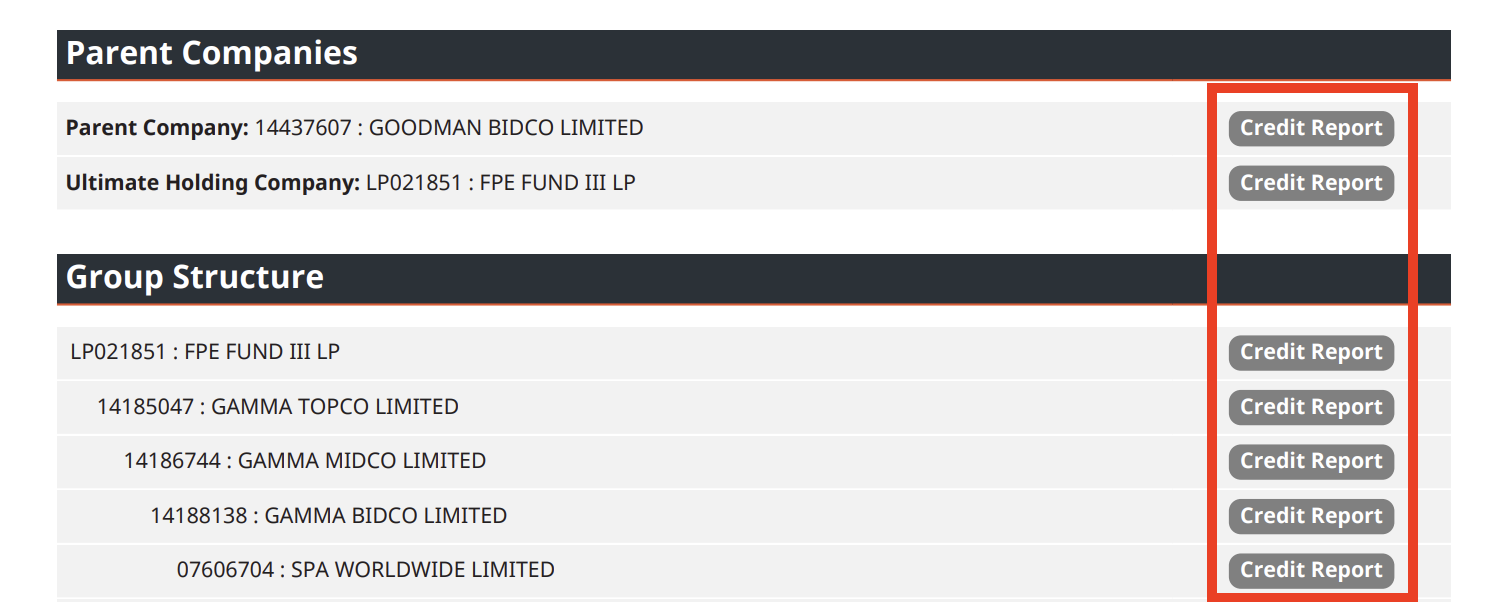
All credit reports from associated companies are stored in the TaskCollect Credit Report sublist against the customer record.
